 LOGISTICS ORGANIZER 20 - Logistics Management for SMEs.
Software for land-transport logistics. It simplifies customer order registration and trip planning. With drag and drop you can rearrange pallets to optimize deliveries. The intuitive interface shortens the learning curve and eases adoption. It can run on a local network or in the cloud on Azure with Microsoft SQL Server.


LOGISTICS ORGANIZER 20 FEATURES
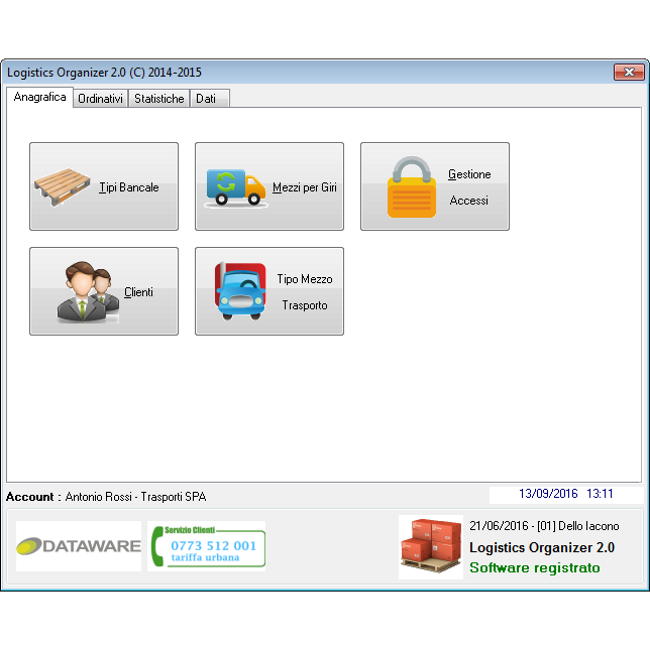
Registry Menu. Means, carriers and customers.
In this menu you can manage customer records, carriers, media and in general data that
will be useful on travel management screens.
It is possible to handle access to software and its functions
with administrative or exclusively managerial users.
The means of transport for itineraries are used in the management function
of finding the goods at the customers during the preparation
of the vehicle before the start of the journey.
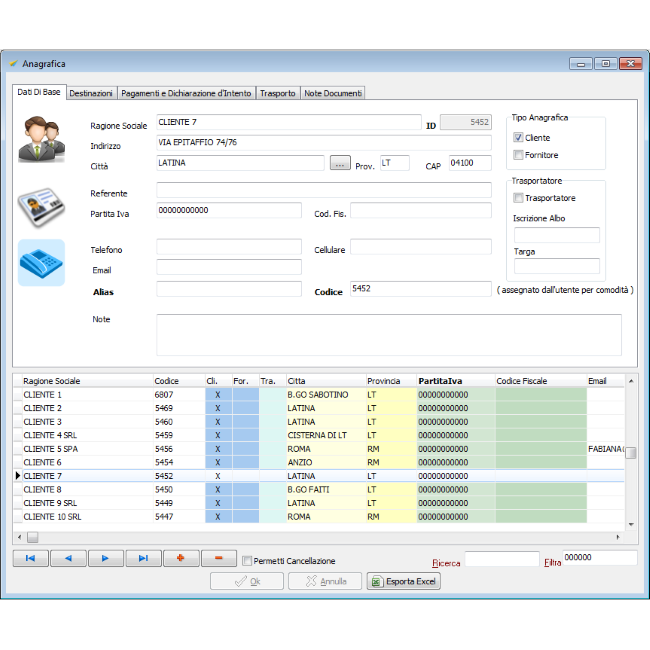
Base Registry. Vectors and Customers.
Basic user data allows you to save data of customers or carriers / suppliers;
information is used in the creation, management, and statistics stages
and reporting.
User data is shared with GISA 30 management solution for managing
issuance of accounting documents and incoming and outgoing payments.
How it works. Logical scheme.
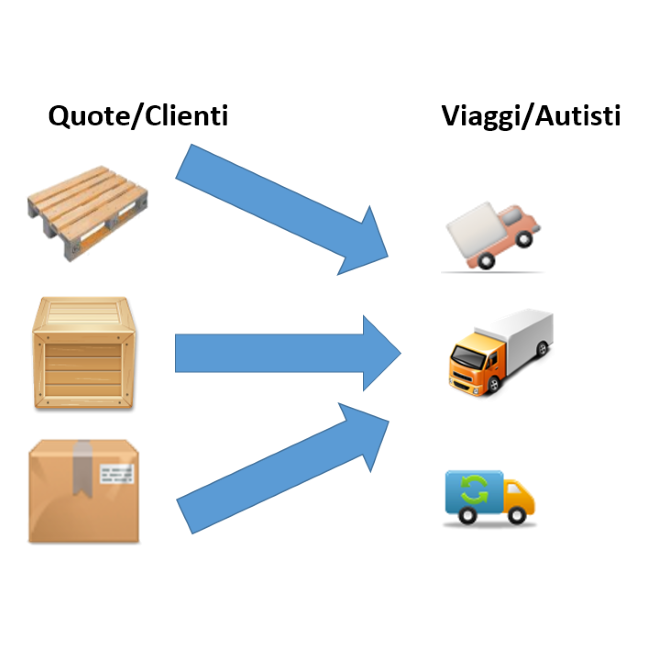
Logistics Organizer 2.0 works by associating customer shipping rates (bancals) with carrier travel.
There are 3 steps for completing the association :
1) Acquisition of customer quotes (orders)
2) Allocation of quotas to travel / carrier ( drag and drop )
3) Cost of travel / reporting.
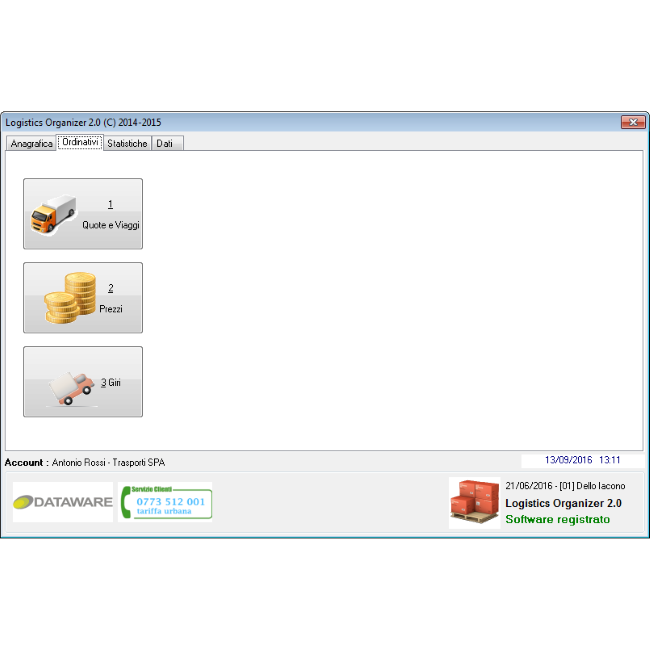
Order Management. Quote, travel and tours.
Order management is in 3 parts:
1) Quote and Travel Management
2) Price management
3) Routing management.
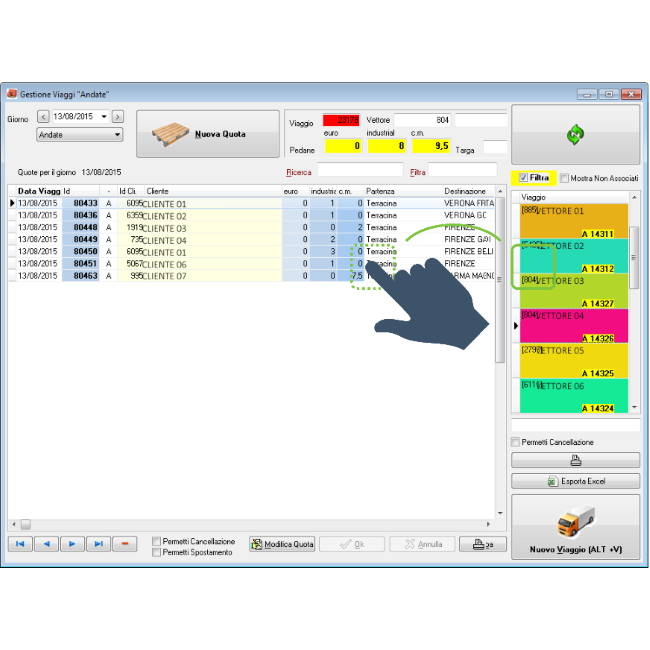
Travel Management. Insertion of quotas and association with travel / carrier.
With the "drag and drop" you can easily move the pallets inside the journey.
It is then possible to manage travels and quotas individually through management wizards.
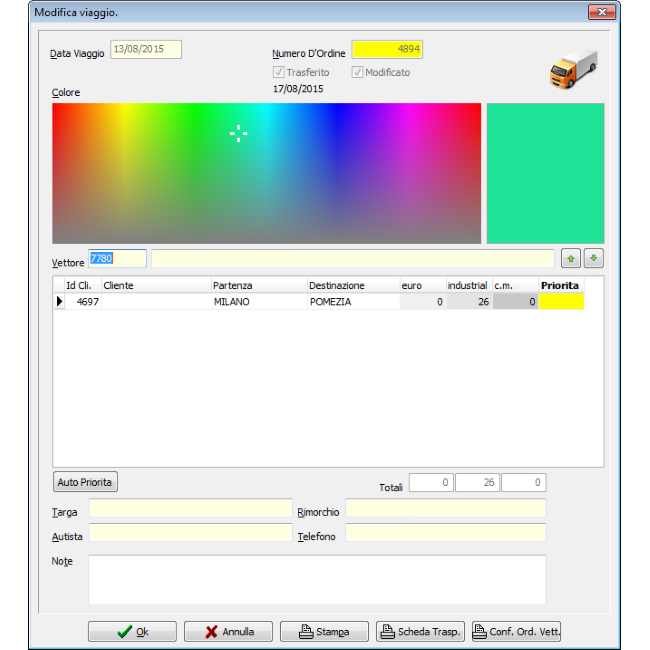
Travel Wizard. Single displacement data.
The "travel wizard" allows operator to focus on single trip: set start and destination data.
By associating a color with each vector, you can visually distinguish a trip from the other, placing order in the active part of the day.